Your whole Intrastat process, in one platform.
Run the entire flow in the IntrastatX app for Windows: import, validation against INS rules, D390 reconciliation, direct filing on intrastat.ro and a digital archive for every company — with declaration data kept on your office's computer. One fixed price per company, however many lines you have.
| CN code | Country | Value (RON) | Status |
|---|---|---|---|
| 8471 3000 | DE | 412.380 | ✓ validated |
| 8544 4290 | FR | 96.140 | ✓ validated |
| 8536 9990 | HU | 58.220 | validating… |
| 3926 9097 | IT | 31.560 | ✓ validated |
One platform. The whole process.
Nine capabilities that cover everything Intrastat involves, from the client's file to the archived declaration.
Smart validation
Inconsistencies show up on import and on every edit, following INS rules — not a generic “invalid file” at filing time.
Company lookup at ANAF, VAT in VIES
Add a company by its tax ID (CUI): its details come from ANAF, and inactive or deregistered companies are flagged. In declarations, partners' VAT numbers, wherever they are filled in, are checked in VIES automatically.
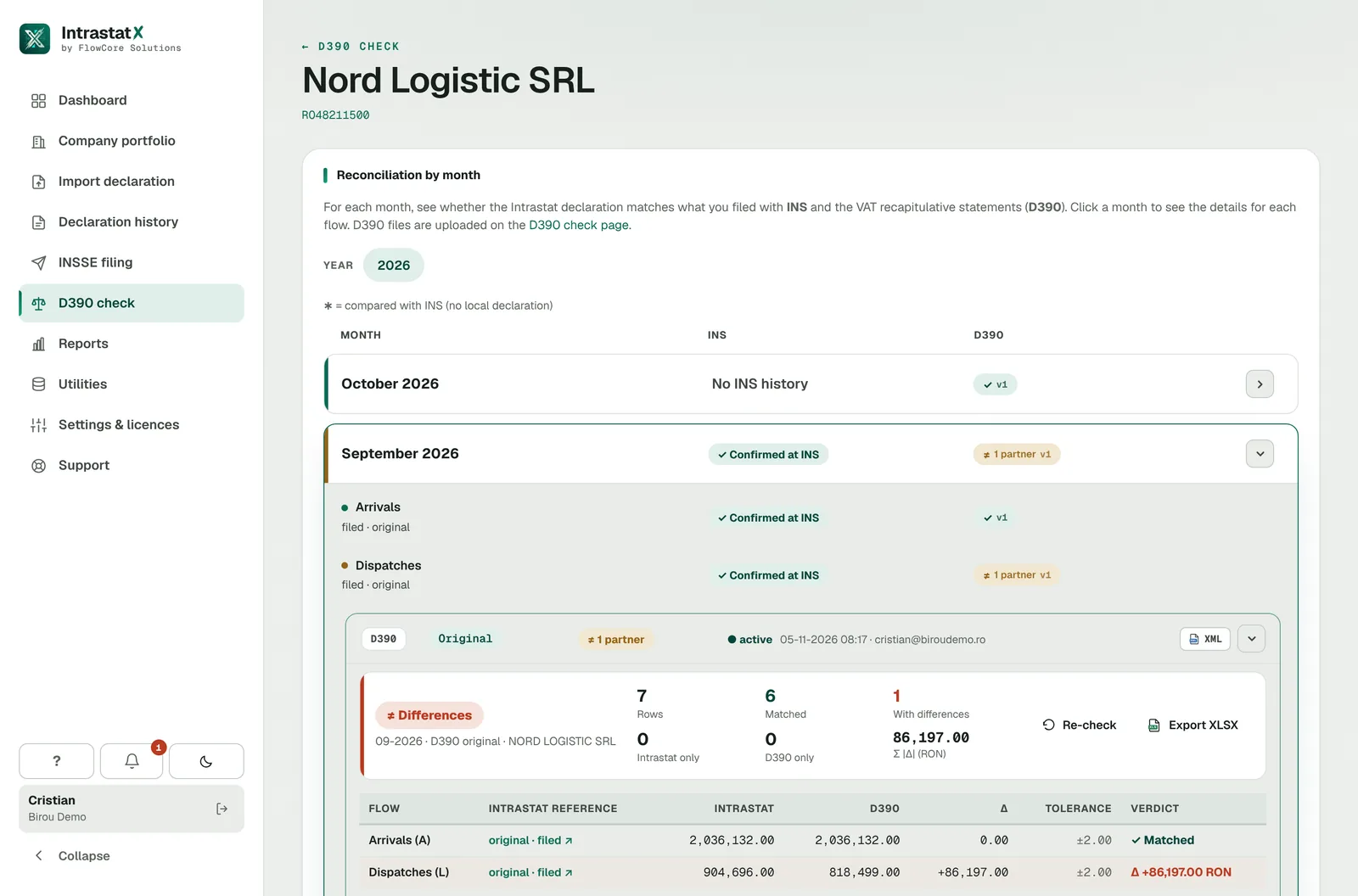
D390 reconciliation
Compare Intrastat reporting with D390 and see the differences before you file Intrastat.
Direct filing with INS
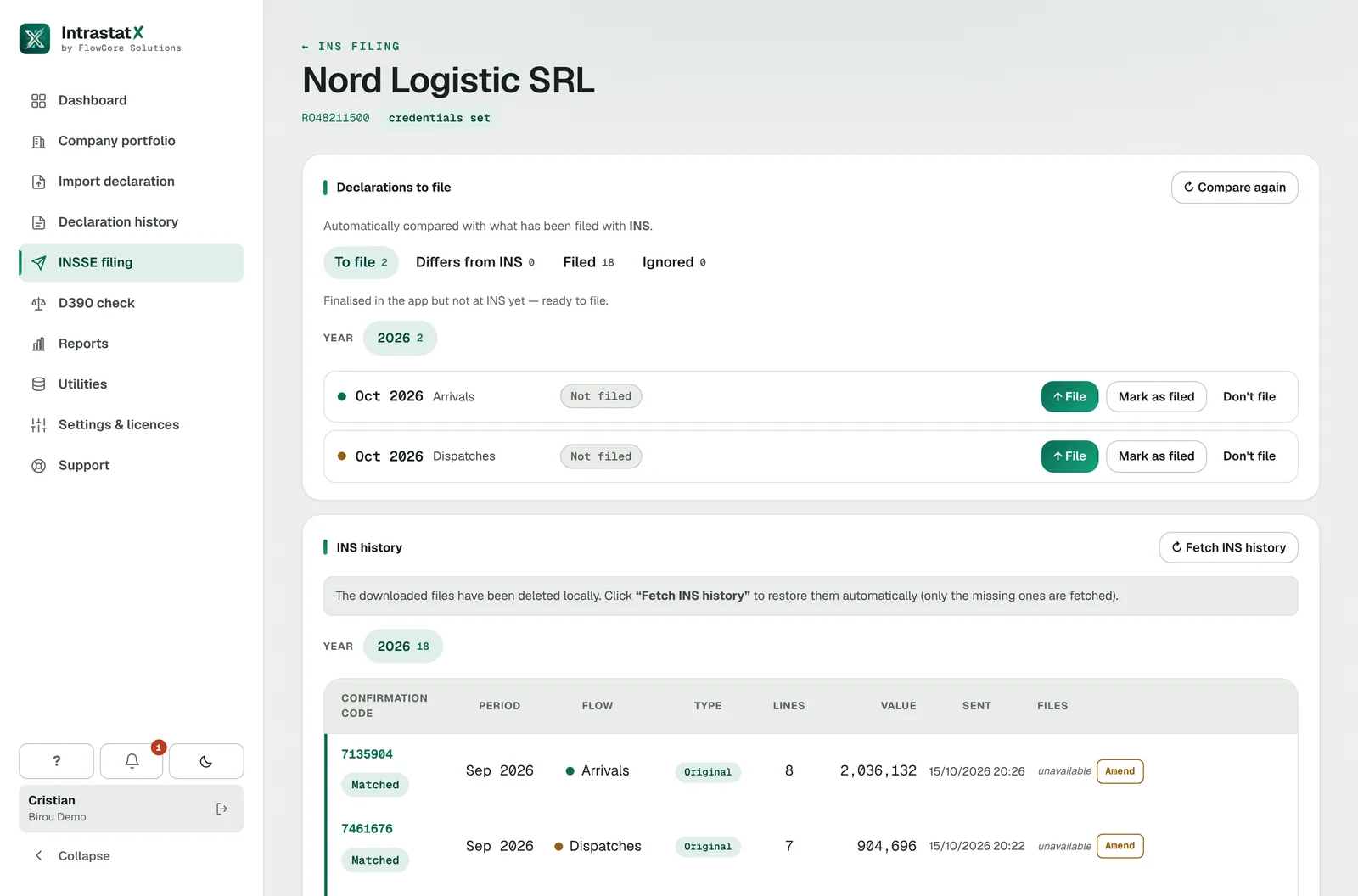
Send the declaration to intrastat.ro from the app, from your office's computer — on the company's own account (FIS) or as an authorised representative (PTD).
BNR rates and currencies
Invoices in foreign currency are converted to RON automatically, at the BNR rate that applies to the invoice date. Rates update daily — no looking them up.
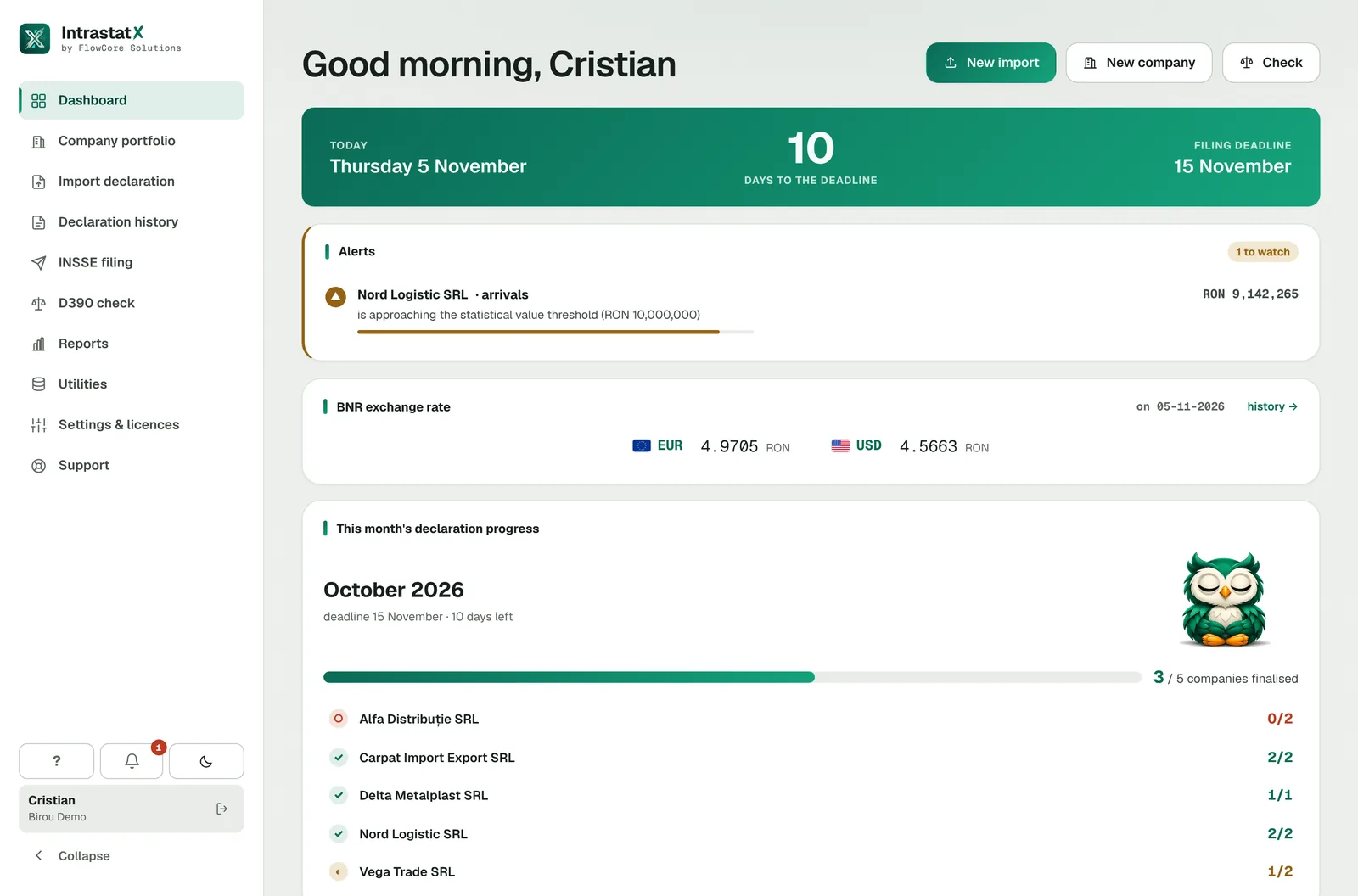
All your companies in one place
Every company and every tax period in one dashboard, with deadlines, filing status and default values for each flow.
Team and roles
Invite your colleagues to the office, with no limit on users. Admins manage companies, licences and the team; operators work on declarations.
Deadlines and notifications
Get email reminders before the deadline on the 15th, confirmation of every filing — or the reason it was refused — and warnings before a licence expires.
Digital archive
XML, PDF, receipts and registration numbers, organised automatically per period, with a daily backup. A month's archive downloads as a single ZIP.
From the client's file to the archived declaration
Same declaration, same place — no intermediate exports and no separate portal.
Import
Excel or CSV from the client. The column mapping is saved as a template — next month, one click.
Validation
Every line goes through the INS rules; you fix it in the editor and the status updates instantly.
Reconciliation
Compare with D390 and catch differences — values, transactions or periods — before filing.
Filing
XML sent to intrastat.ro from the app, over your office's connection — on the company's account or as a representative.
INS confirmation
After sending, the app automatically retrieves the registration number, the receipt and the status.
Archiving
Revisions, files and the registration number — archived automatically on your office's computer, with a daily backup.
File from the app. No separate portal.
The app connects to INS from your office's computer and handles the whole submission — on the company's account or the office's. INS credentials are set up once and are available to your colleagues in the office.
From the company's account
For companies with their own account on the INS platform. Sign-in and submission straight from the app.
As an authorised representative
For offices: file for all companies from a single account, without repeated sign-ins, with separate records per company.
After sending, the app automatically retrieves:
- The registration number
- The filing status
- The XML sent
- The declaration PDF
- The INS receipt
Intrastat and D390, side by side
For each month you check whether the declaration in the app matches what is registered with INSSE and the client's tax returns.
- Detects missing transactions, value differences and differences between periods
- Monthly status — against INSSE and against D390
- Yearly verification report, exportable to PDF or Excel — for the audit file
- History by year, for every company in your portfolio
Every document of a period, in one place
For each tax period, IntrastatX automatically archives everything related to the declaration on your office's computer, with a daily backup. Download files one by one, or the month's archive as a ZIP.
- No more digging through folders, emails or the INS portal — the INSSE history is retrieved automatically
- The month's archive for one company, as a ZIP, in one click
- Every revision keeps its own files and number
- XMLthe declaration sentavailable
- PDFprintable declarationavailable
- ReceiptINS confirmationavailable
- Registration no.retrieved automaticallyavailable
- Status + correctionsthe period's historyavailable
What we check before filing
The same rules INS applies — plus plausibility checks the portal doesn't do.
- CN code valid for the declaration's year — the Combined Nomenclature changes every year
- Partner country is an EU member (never Romania) and country of origin is filled in
- Nature of transaction, Incoterms and mode of transport, against the INS code lists
- Positive invoice value; statistical value required above the threshold
- Net mass or quantity in the supplementary unit required by the CN code
- Partner VAT number on dispatches; QV999… accepted only for nature 1.2
- RON/kg plausibility against the company's history — catches a wrong decimal separator
Unknown CN code for the declaration's year: 85369990.
errorPartner VAT number invalid in VIES: DE812345678.
errorCN code 8471 3000 requires the quantity in the supplementary unit “p/st”.
errorUnusual unit value: ~38,500 RON/kg versus ~3,900 RON/kg historically.
warningNet mass missing on 2 lines — CN code 8536 6990 has no supplementary unit.
warningEach finding shows its line and field — you fix it right in the editor.
Looking for CN codes?
Search the Combined Nomenclature for any reporting year: code, description, full classification and supplementary unit. No account needed, right in your browser.
Built for sensitive tax data
Concrete measures to protect data and keep you running — not marketing promises.
Declaration data stays with you
Declaration lines, partners and files stay on your office's computer. The server keeps only the account, companies, licences and per-declaration totals — never the content of the lines.
Encrypted INS credentials
Portal credentials are encrypted on the server and reach only your office's registered computers, over HTTPS — never in plain text.
Signed requests, encrypted traffic
The app signs every request to the server and all traffic goes over TLS; access is checked both for the user and for the office's registered computer. No tracking cookies.
Daily backup
Every day the app automatically makes a local backup of your data. Whatever you filed also remains in the INSSE history.
Keeps working when our server doesn't answer
The app works locally: if the IntrastatX server is unavailable, you keep working for another 3 days. Filing with INS stays possible while the licence verified online is valid (24 hours), using the INS password from the encrypted copy on your computer.
Isolation and traceability
Each office sees only its own companies, and important account actions are recorded in the audit log.
One price. Per company. Per year.
No volume plans, no per-line charges: however many lines, declarations and revisions, the price stays the same. Busy months don't cost more — you know your yearly budget from day one.
+ 21% VAT · per year, for one company
Any number of lines, declarations and revisions — the price doesn't change.
Create a free accountThe account is free; you activate the licence per company when you start working on its declarations. One proforma invoice per order, payment by bank transfer (no card), the invoice after the payment is confirmed. Companies added during the year pay a pro-rata share until renewal.
Everything included
- Import, validation, editor and INS XML export
- ANAF company lookup, VIES VAT checks and automatic BNR rates
- Filing on intrastat.ro — directly or as a representative (PTD), with the INSSE history retrieved automatically
- INSSE and D390 reconciliation
- Digital archive and per-client reports: yearly, the month's archive, verification report
- Unlimited team members, with roles, and email notifications
- The app for Windows 10/11, in Romanian and English, with automatic updates
- Regulatory updates included
- In-app support via tickets — answered by the IntrastatX team
Shall we talk about pricing or your office?
Write to us — we usually reply the same business day.
Questions we often get
Does the price depend on the number of lines?
No. The licence is per company, per year. You can file any number of declarations, with any number of lines and revisions — the price stays the same.
Do I need to install anything?
Yes. Declarations are prepared in the IntrastatX app for Windows 10/11, which you download from the website after creating your account. The website is for your account, licences, CN code search and downloading the app.
Where is declaration data stored?
On your office's computer, with an automatic backup every day. The IntrastatX server keeps only the account, companies, licences, support tickets and per-declaration totals (number of lines, values, status) — not the content of the lines. Whatever you filed also remains in the INSSE history.
Can I manage several companies from one account?
Yes — that's what the platform is built for. Each company has its own templates, declarations and history, and the office sees them all in one dashboard, with deadlines and filing status.
Can I work together with my colleagues?
Yes, with no limit on users. You invite them by email; admins manage companies, licences and the team, while operators work on declarations. Companies, licences and INS credentials are shared across the office, while declaration data stays on the computer it was worked on — you can move it to another computer with the backup in “This computer”.
Is the app available in English?
Yes. The app and the website are in Romanian and English, and each user picks their language, which is kept in their account. Documents for INS — the XML, the PDF and the Excel exports — stay in Romanian, in the required format.
How do you check companies and partners?
When you add a company, you enter its tax ID (CUI) and its details come from ANAF; an inactive or deregistered company is flagged. In declarations, partners' VAT numbers, wherever they are filled in, are checked in VIES automatically; if a member state's server doesn't respond, the number shows as unverified, not invalid, and can be checked again.
Does the app validate data before filing?
Yes, on import and on every edit: CN code for the declaration's year, partner countries, values, net mass, supplementary units, partner VAT number and unit-value plausibility. Each finding shows the line and field with the problem.
Can I automatically compare declarations with D390?
Yes. The platform compares Intrastat values with D390 and highlights the differences — missing transactions, values or periods — with a verification report exportable to PDF or Excel.
Are the XML and PDF files available after filing?
Yes. After sending, the app automatically retrieves the registration number, the status, the XML sent, the PDF and the receipt, and archives them per period on your office's computer.
Can I download all of a month's documents at once?
Yes. “The month's archive” downloads, for one company, the XML, PDF and Excel files and the INSSE receipts of both flows in a single ZIP — no file-by-file downloads from the portal.
How are corrections handled?
You start a correction directly from an INS record: the history becomes the basis of the revision and the declaration generates an InsRevised XML. Each period keeps all its revisions.
How are data and INS credentials protected?
Declaration data stays on your office's computer. Portal credentials are encrypted on the server, shared within the office and sent only to its registered computers, over HTTPS; each computer keeps only a backup copy encrypted with Windows protection, so filing still works if our server is temporarily unavailable. The app's requests are signed, traffic is TLS-encrypted and offices are fully isolated from each other.
What happens if the IntrastatX server is unavailable?
Work goes on: declaration data is on your computer, and the app keeps working for another 3 days without reaching the server. Filing with INS stays possible while the licence verified online is valid (24 hours after the last check), using the INS password from the encrypted local copy. When the server is back, everything syncs automatically.
Do I get deadline notifications?
Yes, by email: reminders 5 days before, the day before and on the day of the deadline on the 15th, as long as you still have declarations to file; confirmation of every filing or the reason it was refused; warnings 30, 7 and 1 day before a licence expires.
How do I pay for the licence?
By bank transfer, no card. For each order you receive a proforma invoice; once you upload the proof of payment and we confirm it, we issue the invoice and the licence is activated. Companies added during the year pay a pro-rata share until the office's renewal date.
Next month, file from the app.
A free account takes a few minutes, then you download the app for Windows. Questions about pricing, or an office with many companies? Write to us — we usually reply the same business day.